// cron-triggered webhooks
Webhooks, fired on time.
Every time.
Schedule a one-time call or a recurring one with a cron expression. Cronhooks holds it, fires it in the timezone you set, and tells you the moment something goes wrong.
Illustration of a timeline: one-time and recurring webhook requests approach the present moment from the right, fire — mostly succeeding, occasionally failing — and pass by on the left.
Trusted by teams shipping on a schedule
// see it in action
Your schedules, at a glance.
Every schedule, its next run, and whether it's active — one screen, no digging through logs.
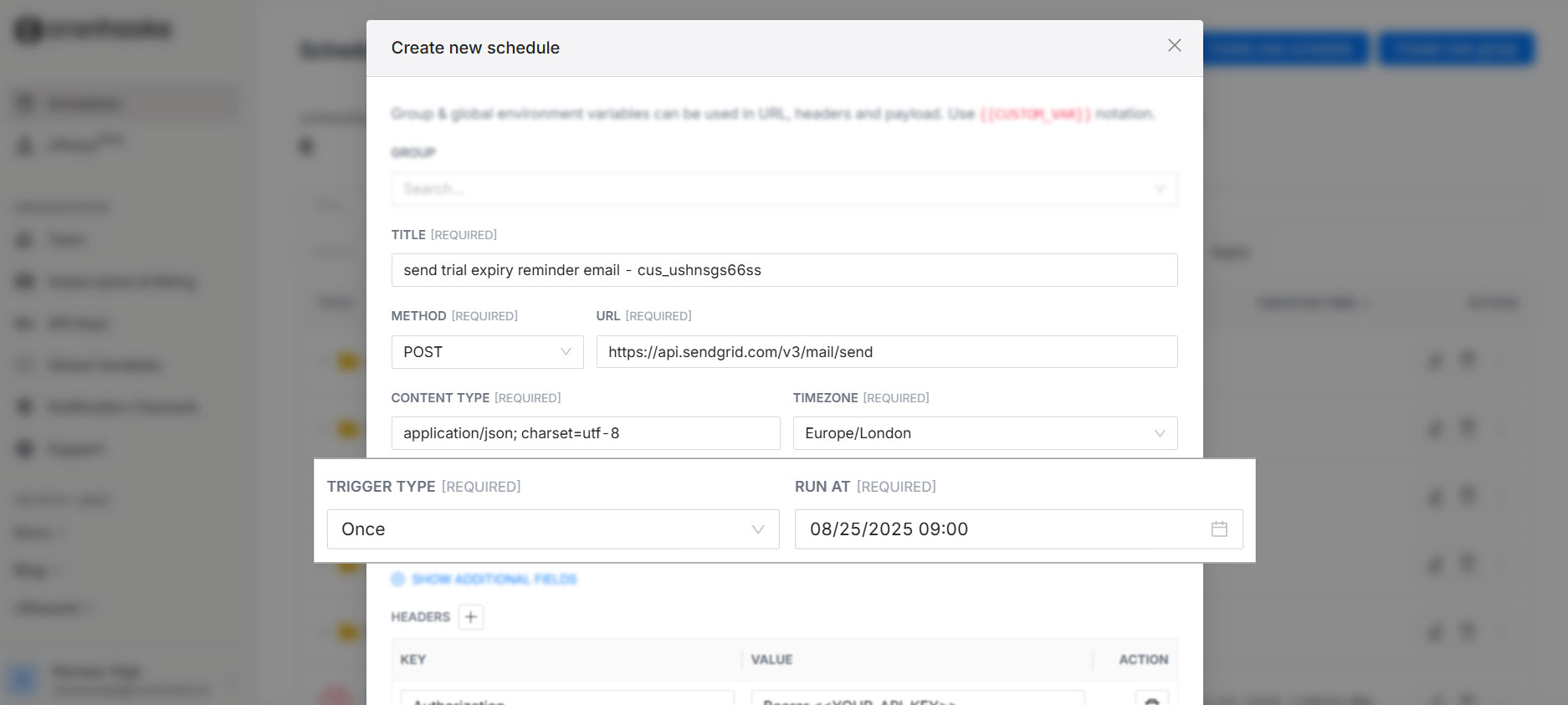
Webhook fired once
200 OK · 42ms
// everything you need for scheduling
Six things a scheduler should get right.
No queues to run, no cron daemon to babysit. Point Cronhooks at an endpoint and tell it when.
Fire at an exact moment
Set a date and time and your webhook fires there, down to the minute — no polling loop, no drift.
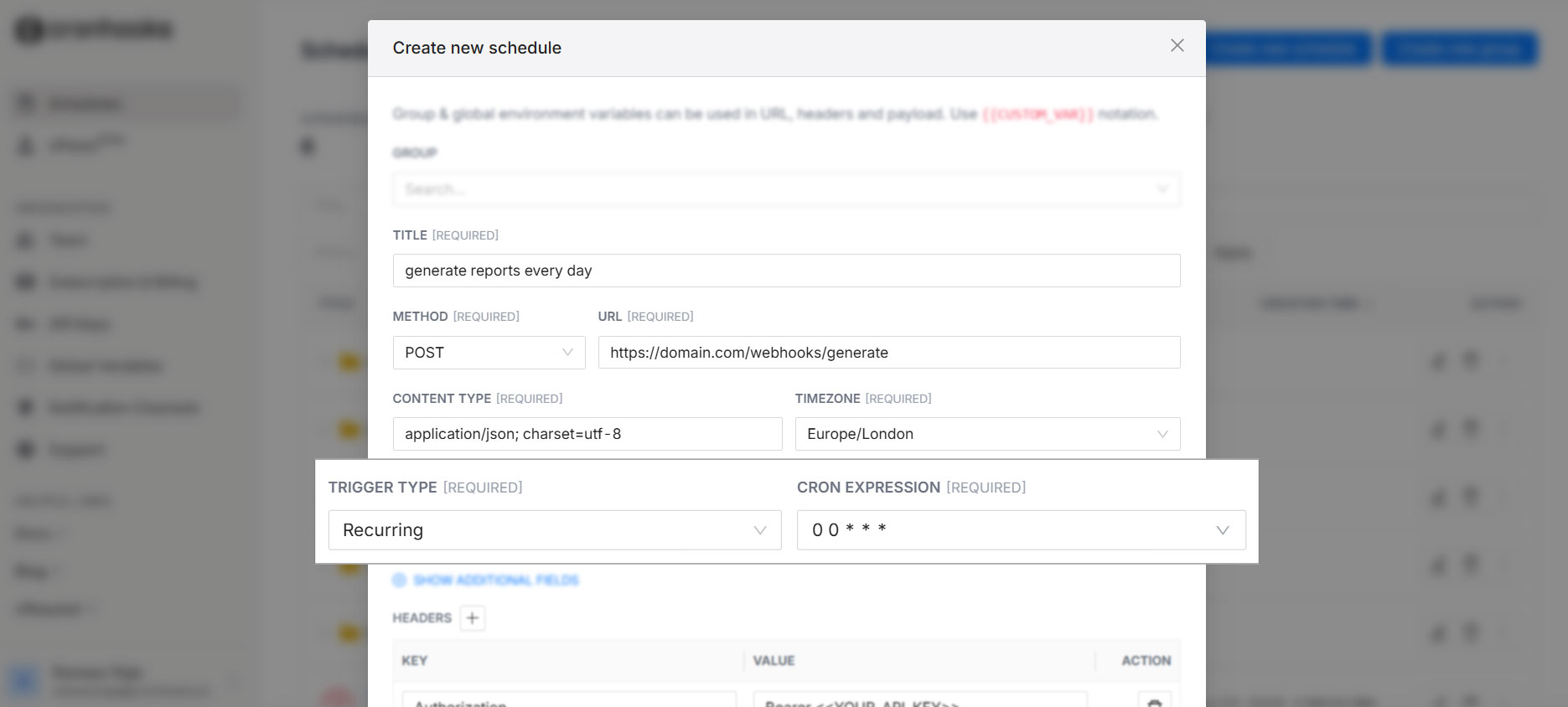
Recur on a cron expression
Describe the interval once — hourly, weekdays at 9am, every 15 minutes — and Cronhooks keeps calling.
Any timezone
Set schedules in the timezone your users actually live in. We handle the conversion, DST included.
A plain REST API
Create, update, or cancel a schedule from any language. No SDK required — just HTTP.
Failure alerts
If your endpoint doesn't answer the way it should, you hear about it by email or Slack — right away.
Signed requests
Every call carries a signature, so your endpoint can verify it really came from Cronhooks.
// integrate
Create a schedule with one request.
No dashboard trip required. Send a POST with an endpoint, a time or a cron expression, and an optional payload — Cronhooks does the waiting.
- →Cancel or reschedule the same way, by ID
- →Attach headers and a JSON body to forward on fire
- →Get a signed request back so you can verify origin
curl -X POST https://api.cronhooks.io/schedules \
  -H "Authorization: Bearer $CRONHOOKS_KEY" \
  -d '{
    "url": "https://yourapp.com/hooks/reminder",
    "runAt": "2026-09-02T09:00:00-05:00",
    "timezone": "Europe/London",
    "payload": { "userId": "1842" },
    "..."
  }'
// where people put it to work
One scheduler, a lot of jobs.
- $ process recurring payments
- $ API health checks
- $ send reminders
- $ generate reports
- $ scheduled alerts & push notifications
- $ trigger serverless functions
- $ kick off Netlify / Vercel builds
- $ post to Slack & Microsoft Teams
// pricing, tailored for your needs
Pick a plan. It won't change on you.
Once you subscribe, the price stays the same each month — even on months you don't create a single schedule.
free
$0 /month
Just for playing around.
startup
$5 /month
The essentials to run client work on.
whatever you need
$12 /month
Scales with a rapidly growing business.
15-day trial, no card required — up to 5 ad-hoc and recurring schedules to try it with.
// a companion tool, also free
cRequest — see every request the moment it lands.
Generate a throwaway endpoint, point anything at it, and watch headers, body, method, and query params show up in real time. Built for testing webhooks before you trust them with real traffic. No signup, no server to run.
Open cRequest →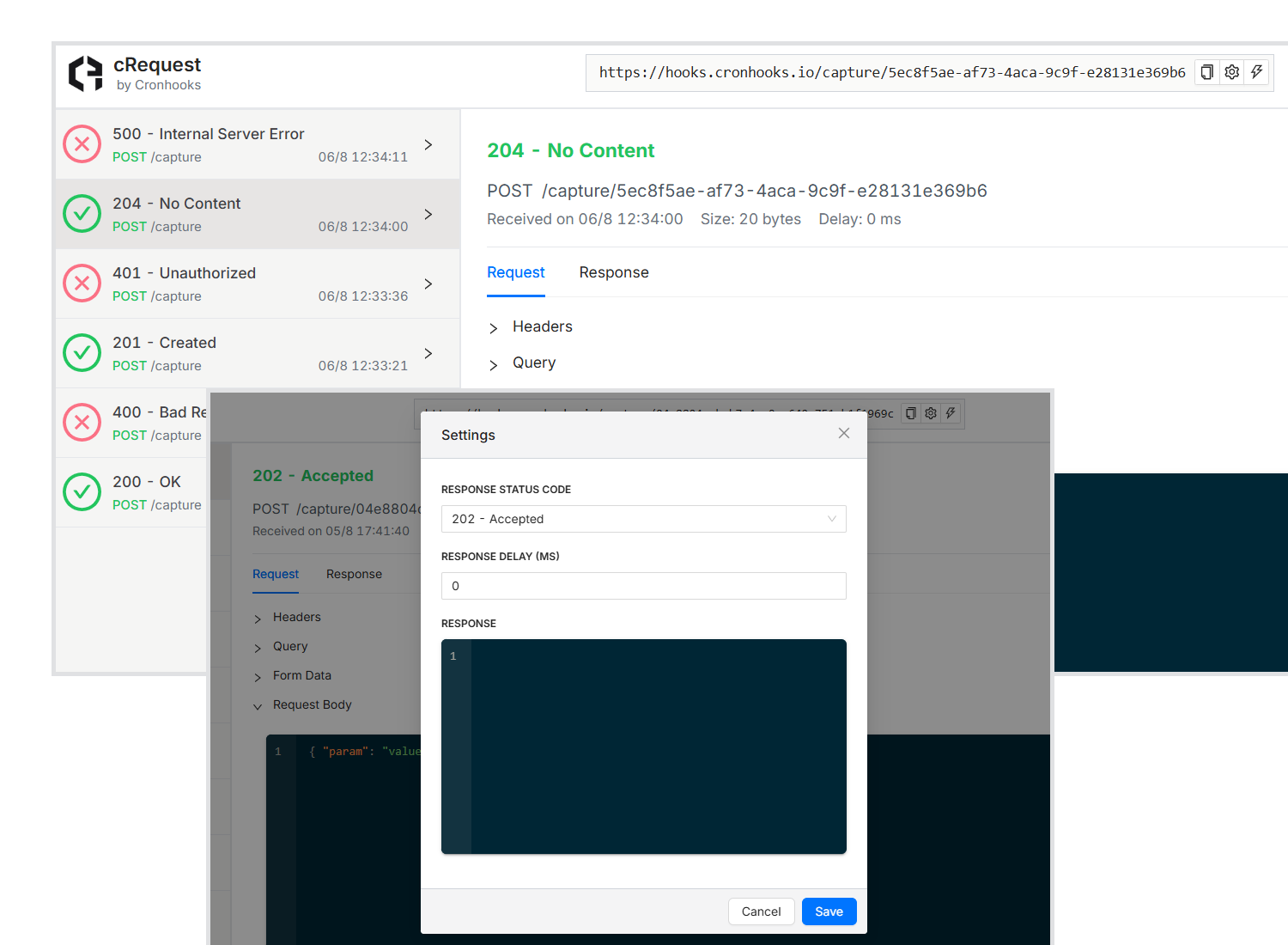
// what people run on it
Mostly, people notice it just fires.
"We switched from GitHub Actions because we needed something that actually triggered the event at the scheduled time. Cronhooks does, and it's excellent value for money."
"It's allowed us to outsource the mechanisms in our product that need to trigger behavior at specific times. Reliable and cost effective."
"We run timezone-agnostic schedules at scale with a breeze."
"Lets us reliably run repeat jobs without setting up and maintaining a custom job scheduler ourselves."
"Precise scheduled events, the easiest way possible — without any of the usual development nuisances."
"Super easy to set up. Started working right away."
// learn
Helpful resources
April 27, 2026 · Rameez R.
Schedule AI workflows to run at a later date
Any AI agent or LLM pipeline can run on a schedule instead of instantly. Here's how to set it up.
March 30, 2026 · Rameez R.
Schedule a Vercel serverless function
Vercel won't run your functions on a timer by itself. Trigger any API route automatically instead.
October 29, 2024 · Rameez R.
Schedule WhatsApp messages and SMS with Twilio
Pair Cronhooks with the Twilio SDK to send messages at exactly the time you choose.
Set the time. We'll make the call.
// need a hand
Stuck on something? We'll sort it out.
Whether it's a schedule that didn't fire, a question about pricing, or something on your integration — email us directly. A real person reads every message, usually within a few hours.
[email protected]